What parents need from a school website
Parents choosing a school arrive with specific questions. The parent of a three-year-old wants to know which class the child can join this year, whether the pre-primary block is safe, and when they can walk round. A family moving to the city in December wants to know whether seats are open mid-session, which documents to bring and whether a bus reaches their area. A Class X student wants to see which subject combinations each Class XI stream offers.
The website has to answer those questions without a phone call, then turn interest into a visit or an enquiry the office can act on. That means a clear admissions page, plain information about fees and buses, academics written for parents rather than inspectors, and forms that collect only what the office needs to reply.
How the Amaltas Vidyalaya demo handles it
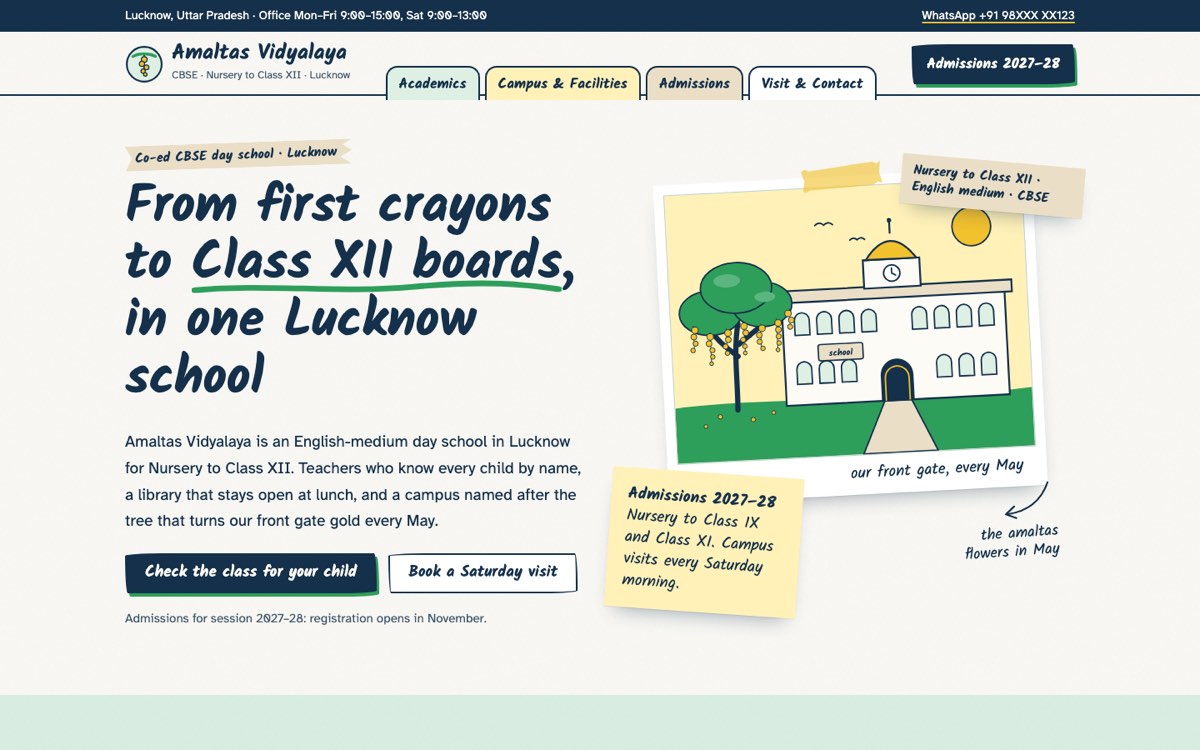
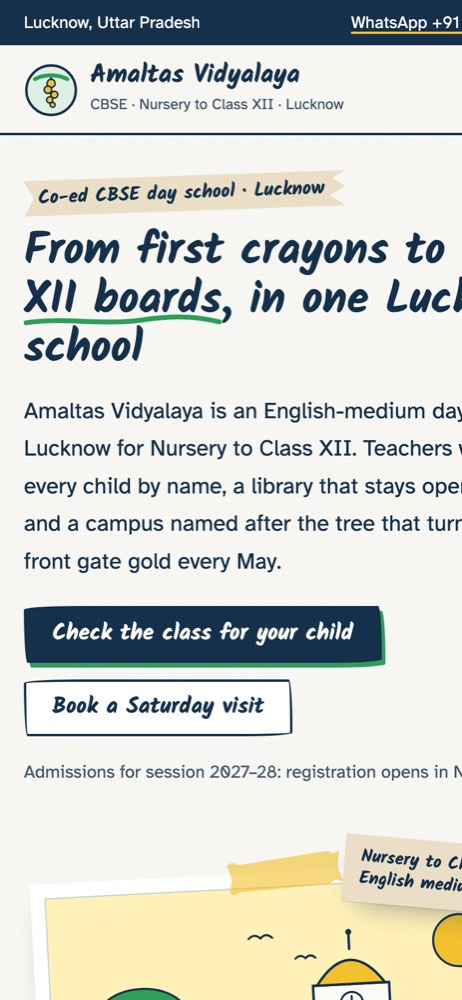
Amaltas Vidyalaya is a fictional co-ed CBSE school in Lucknow, Nursery to Class XII, that VirtueInfo created to show what we build. It is not a client. The reviews on it are labelled as sample reviews, and the affiliation number, school code and UDISE+ code are placeholders.
The home page opens with the school in one sentence and two actions: check the class for your child, or book a Saturday visit. Below that sit the age checker, the four stages of learning, a timetable for a typical day, a few campus drawings and the office hours. The design looks like a scrapbook, with polaroid-style cards and notebook tabs for the menu, to suit a school that wants to feel warm rather than corporate.
The academics page explains how teaching changes across the foundational, preparatory, middle and secondary stages. It lists the Science, Commerce and Humanities subject combinations for Class XI and sets out homework limits for each age group. The campus page covers the library, labs, games ground, sick bay, buses and gate security, and names the neighbourhoods the bus routes cover.
The age-eligibility checker is the signature feature. A parent enters the date of birth and chooses the session. The checker works out the child's age on 31 March of that year, suggests a class from the sample age table and highlights the matching row. A button then opens the admission enquiry with the class and date of birth already filled in. For Class X and above it explains that board results decide placement, not age. The admissions page adds the four steps to a place, the documents to bring, a note that RTE seats are allotted through the state process, and sample fees by stage.
The visit page lets parents request one of three Saturday morning time slots and say which class interests them. Every form checks the mobile number and email format and points to the first field that needs fixing.
Local SEO built in
Each page carries structured data that marks the business as a schema.org School, with the city, office hours and contact email, plus breadcrumbs on inner pages. Page titles follow what parents type, such as CBSE school, school admission and the session year, alongside the city name. The bus areas are written into the campus and visit pages, which helps the school show up for searches from those neighbourhoods.
We match the school name, address, phone and office hours to your Google Business Profile so that search engines see one consistent record. The demo uses self-hosted fonts and drawn SVG illustrations, so pages stay light on a parent's mobile data. Since Amaltas Vidyalaya is a made-up school, its demo is hidden from search. A real school site we build is published indexable, with every page listed in the sitemap.
Notes for each market
India
Parents expect to message the office on WhatsApp and to see fees in rupees by stage. CBSE, ICSE and state board schools usually display their affiliation number and school code in the footer, and the site can carry Hindi or a regional language alongside English. Fee payment links can support UPI if your fee system provides them.
USA
Use American spelling and grade levels rather than classes. Private schools usually explain tuition, financial aid and the application timeline, while public schools focus on enrollment, attendance zones and district links. The age checker can follow your state or district kindergarten cut-off date.
Canada
Spelling follows Canadian usage and fees are in Canadian dollars. Schools in Québec, or those serving French-speaking families elsewhere, usually need the site in French and English. Admission ages and cut-off dates are set by province, so the checker takes its rules from your board.
Australia
Use Australian spelling, years rather than classes, and fees in Australian dollars. Independent schools usually publish enrolment steps, an application fee and open day dates, and the checker can follow your state's starting age rules for Foundation or Prep.
Finland
Many schools need the site in Finnish, Swedish and English, with English pages most useful for international and bilingual programmes. Most basic education is free and allocated by catchment, so private and international schools focus their sites on admission rounds, entrance assessments and term dates.
What we deliver and how the project runs
We design the site to your school's identity, with your crest, colours and tone, rather than reusing the scrapbook look. We write or edit the admissions, academics and facilities pages with your coordinator, using your real age rules, fee structure, bus areas and documents list.
Enquiries and visit requests can go to the admissions email, a WhatsApp number, your CRM or your school management system. After launch we hand over the site with access and short notes on updating the age table, session dates and fees each year. Our UI and UX design team can also plan a parent portal or admissions flow if you need one later.
Send us your current site, or your admissions brochure, and ask us for a quote.