What an HVAC contractor website has to do
People rarely browse HVAC websites for fun. Most arrive because the house is too hot, too cold or making a noise it should not make. They want to know three things fast: is this an emergency, can you come to my address, and roughly what will it cost.
A second group is weighing a big decision. Their system is ten or fifteen years old and they have a repair quote in hand. They want plain advice on repairing or replacing, and they want to see that you size new equipment properly instead of selling the biggest unit.
A third group wants to stop thinking about it. New homeowners, landlords and retirees look for a maintenance plan that books tune-ups for them and puts them ahead of the queue when something fails.
How the Shadeline Air demo handles it
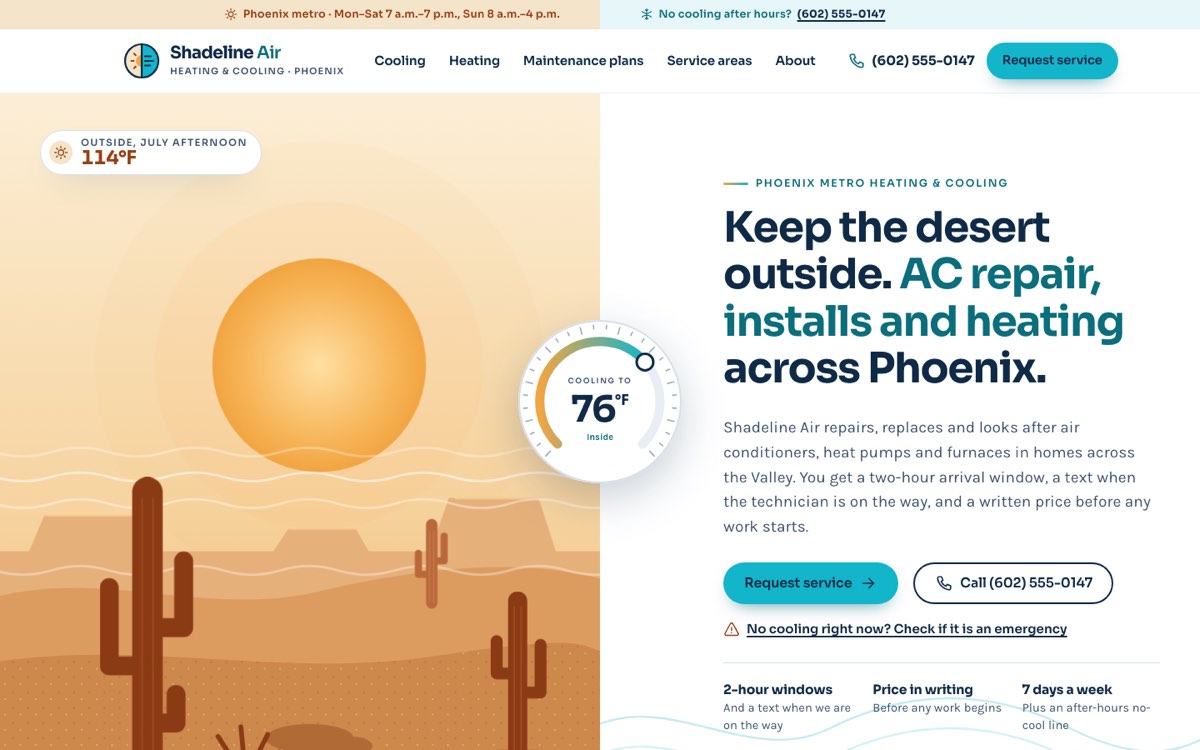
Shadeline Air is a fictional heating and cooling company in Phoenix, Arizona, created by VirtueInfo as a working demo. Nothing on it belongs to a real business, and the license numbers, team and reviews are labeled as placeholders.
Pages built around the jobs
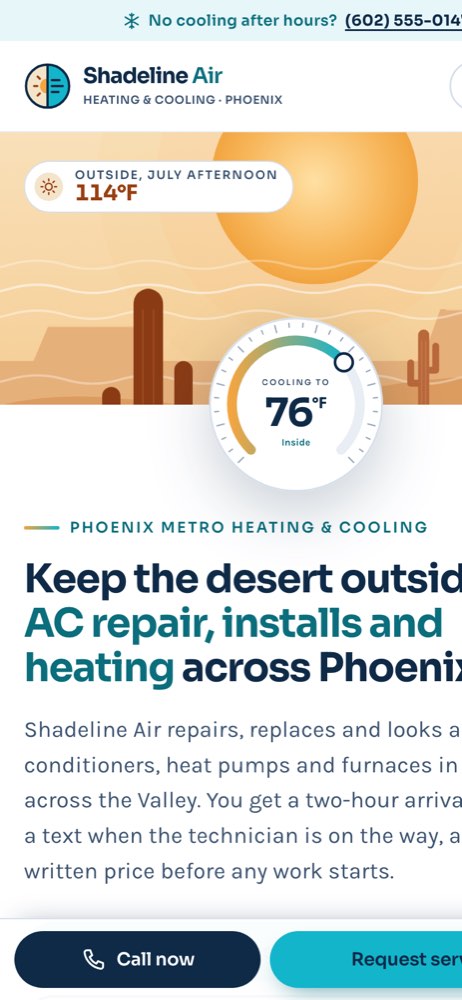
The home page opens with a split hero, desert heat on one side and a cool interior on the other, joined by a thermostat dial. Under it sit the service summaries, the four steps of a service visit, an emergency link, the plans and a ZIP check. The cooling page lists the signs that an AC needs a technician, what a repair visit includes, sample prices and FAQs. The heating page explains heat pumps and gas furnaces, puts the gas safety steps first and lists checks to try before calling.
The About page covers how technicians work inside a home, how jobs are priced and where the license and insurance details go. On phones, a sticky bar keeps the call button and the request link in reach on every page.
The interactive tools
The signature feature is the emergency triage on the request service page. Visitors answer whether they smell gas, see smoke or sparks, or have no cooling on a very hot day. The page then shows the matching advice, from leaving the house and calling the gas company to a direct call button for someone vulnerable in a hot house. Routine requests move on to the booking form, which checks the date, a two-hour arrival window, the phone number and the ZIP code before it sends.
The maintenance plans page shows Basic, Comfort and Total plans with a monthly or yearly toggle and a comparison table. The cooling page has a repair-or-replace helper that multiplies system age by the repair price and gives a rough answer. The service areas page pairs an illustrated metro map with a ZIP checker that tells visitors whether they are in the core area or the extended area.
Local SEO built in
Each page carries structured data using the schema.org HVACBusiness type, with opening hours, phone, the cities served and the services offered. The cooling, heating and plans pages add Service and FAQ markup, and inner pages carry breadcrumbs. Page titles lead with the service and the city, such as AC repair and replacement in Phoenix, so they match what people type into search.
The service areas page lists every city and ZIP code in plain text. We match the business name, phone, hours and service area to your Google Business Profile so the two tell the same story. The site uses two self-hosted fonts, inline illustrations and no heavy frameworks, so pages load quickly on a phone.
The demo pages are not indexed by search engines because the business is fictional. We keep the Shadeline Air demo out of search, since the business does not exist. Your own HVAC contractor website goes live fully indexable, with a sitemap submitted on day one.
Notes for each market
India
Customers often prefer to message on WhatsApp, so we add a WhatsApp button next to the phone number. Prices are shown in rupees, and online payment by UPI is expected for plan renewals.
USA
US customers look for a state contractor license number and proof of insurance, so we place them on the About page and in the footer. We use US spelling, degrees Fahrenheit and dollar pricing.
Canada
Canadian sites use Canadian spelling, Celsius and dollar pricing, and heating usually matters more than cooling. For contractors serving Québec we build a French version alongside English, with matching URLs and language tags. Provincial licence and gas certification details go on the About page.
Australia
Australian customers expect Australian spelling, Celsius, prices in Australian dollars and an ABN in the footer. Reverse cycle split systems are the common topic, so the service pages are written around them.
Finland
Finnish sites usually need Finnish and English, and Swedish where you serve Swedish-speaking areas. Heat pumps are the main subject, both air-to-air and air-to-water, and prices are shown in euros with VAT stated. We show your business ID (Y-tunnus) in the footer, as customers expect.
What we deliver and how the project runs
We design the site to your brand, not a template, and write or edit the content with you so it reflects your services, areas and prices. We connect the request form to how your office works: email, WhatsApp, your CRM or your booking system.
The project starts with a short call about your services and service area, followed by a design for review, the build, content and testing on real phones. At hand-over you get the site, the logins and a short guide to editing it. Our assistance and maintenance service covers updates and fixes after launch.
If you would like a website like this for your HVAC business, ask us for a quote and tell us which areas you serve.