What drivers need from a garage website
Most people find a repair shop when something has gone wrong. The check-engine light came on during the commute, or the brakes started grinding on the way home. They want to know whether the car is safe to drive, how soon you can look at it and roughly what it will cost. Others plan ahead: an oil change before a road trip, winter tires, a pre-purchase inspection on a used car.
A garage website has to show the work you do, give a price range people can trust, explain how estimates are approved and offer a drop-off slot. It also has to sound like the person at your counter, so a new customer knows what to expect before they hand over the keys.
How the Arch City Garage demo handles it
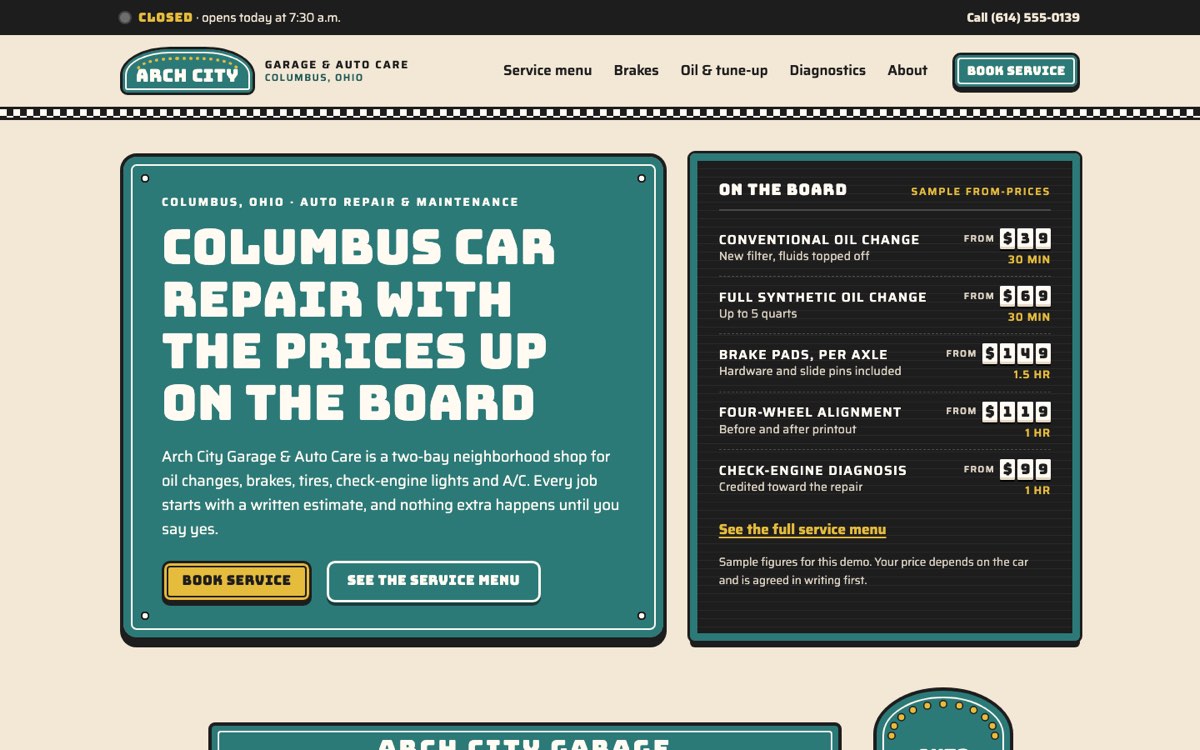
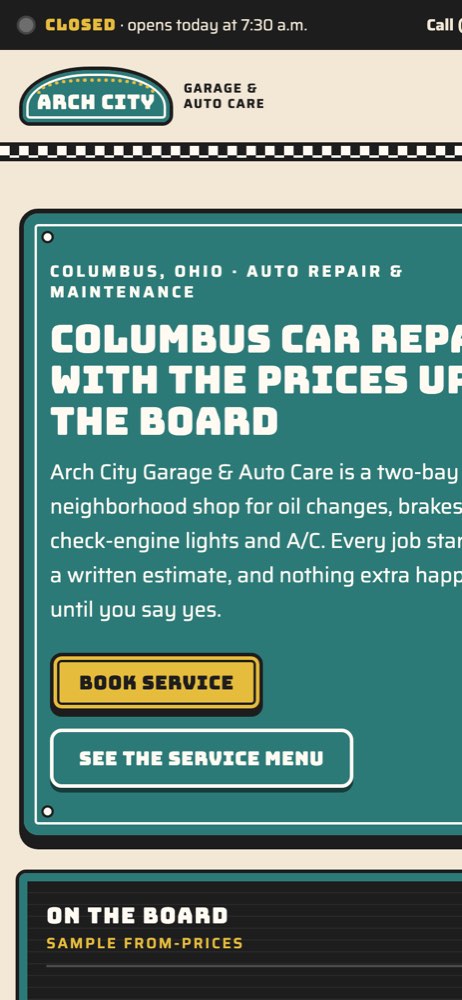
Arch City Garage & Auto Care is a fictional two-bay shop in Columbus, Ohio, created by VirtueInfo for this demo. It is not a client. The crew, reviews, prices and phone number are made up, and the footer says so. The design takes its cues from a 1960s service station, with enamel signs, a changeable letter board and checkered strips.
The service menu and repair ticket
The signature feature is the service menu. It lists 26 services in seven groups, each with a sample from-price shown in letter-board digits and the usual time in the bay. Every line has an Add button. As the customer adds services, a printed-style repair order builds up beside the board with a running total and the total time, and one button takes the whole ticket to the booking form.
Booking a drop-off
The booking form asks for year, make, model and mileage, then the services needed and a box for noises or warning lights. The customer picks a drop-off day and time from sample availability and chooses to wait or leave the car. If the chosen services usually take longer, the form suggests leaving it, and offers a courtesy ride within a few miles. The form confirms the request on screen, and says no payment is taken online.
Pages that answer the worried driver
The brakes page has a sound matcher: the visitor picks squeal, grind, pulsing pedal or a sinking pedal and sees what it usually means and how soon to come in. The oil and tune-up page compares oil types and includes a calculator for the next change. The diagnostics page explains a solid versus flashing check-engine light and has a guide to eight dashboard warning lights. Each service page ends with FAQs. The home page repeats four shop rules, including a written estimate first and old parts returned in a box.
Local SEO built in
Every page marks the business up as a schema.org AutoRepair with opening hours and the neighborhoods served. The service menu publishes each line as a Service inside an OfferCatalog, and service pages add FAQPage and breadcrumb data. Titles target searches such as brake repair or oil change plus the city. The about page lists the neighborhoods customers come from, and the open or closed lamp in the top strip uses the shop's own time zone.
We align the name, phone, hours and area with your Google Business Profile so search engines see one consistent shop. The demo uses flat illustrations and two self-hosted fonts, so pages load fast on a phone in a parking lot. The demo pages are not indexed because the garage is fictional. The Arch City Garage & Auto Care pages carry no search listing because the company is fictional; a live auto repair garage site gets a sitemap, canonical URLs and a Search Console property instead.
Notes for each market
India
Customers often want pickup and drop for the car, so the booking form can ask for an address instead of a drop-off time. Estimates and approvals usually travel over WhatsApp, and payment by UPI is expected. Prices go in rupees, and two-wheeler service may need its own menu.
USA
The demo is written for this market: American spelling, dollars, miles and prices shown before sales tax. Many states have rules on written estimates for repairs, so we word the estimate process to match your state. If you are an inspection station, that deserves its own page.
Canada
Use kilometres, Canadian dollars and a note on how sales tax applies in your province. Seasonal tire changeovers are a large part of the calendar, so the booking form can offer tire storage and swap slots. Shops in Québec need the site in French as well as English.
Australia
Use Australian spelling, kilometres and prices that state whether GST is included. Customers book logbook services and roadworthy or safety certificates, which vary by state, so we name the one your state uses. Show your ABN and any state repairer licence in the footer.
Finland
The site usually needs Finnish and Swedish versions, with English for newer residents. Customers plan around seasonal tire changes and the periodic vehicle inspection, so both make good booking options. Prices go in euros with VAT included, and the footer should carry your Y-tunnus.
What we deliver and how the project runs
We design the site around your shop, not the retro look of the demo, unless that look suits you. We write or edit the content with you: the service menu, your shop rules, the crew and the areas you serve. The booking form connects to your email, WhatsApp, CRM or your booking system. Our digital marketing team can handle the Google Business Profile, reviews setup and local search work after launch.
A project starts with a call about the work you want more of. You review the design, we build and test it on phones, and we launch with structured data and a sitemap in place. At hand-over we show your team how to change prices and hours, and we offer maintenance if you prefer we look after it.
If you want a site like this, ask us for a quote and tell us what your shop does.