What holiday guests need from a rental website
Someone planning a cabin or cottage holiday has two questions before anything else. Does a place fit our group and what we want to do, and is it free on our dates. A family on a ski week needs three bedrooms and somewhere to dry wet gear. A couple travelling for the northern lights wants a dark sky, a sauna and maybe a hot tub. Summer walkers want to know what the area is like when the snow has gone.
Listing sites answer some of this, but they bury your properties among hundreds of others and take a cut. Your own site can show every property in full, explain the place and the seasons in your own words, and take enquiries you answer directly. To do that it has to make comparison quick, show availability accurately and collect the dates, guests and contact details in one go.
How the demo handles it
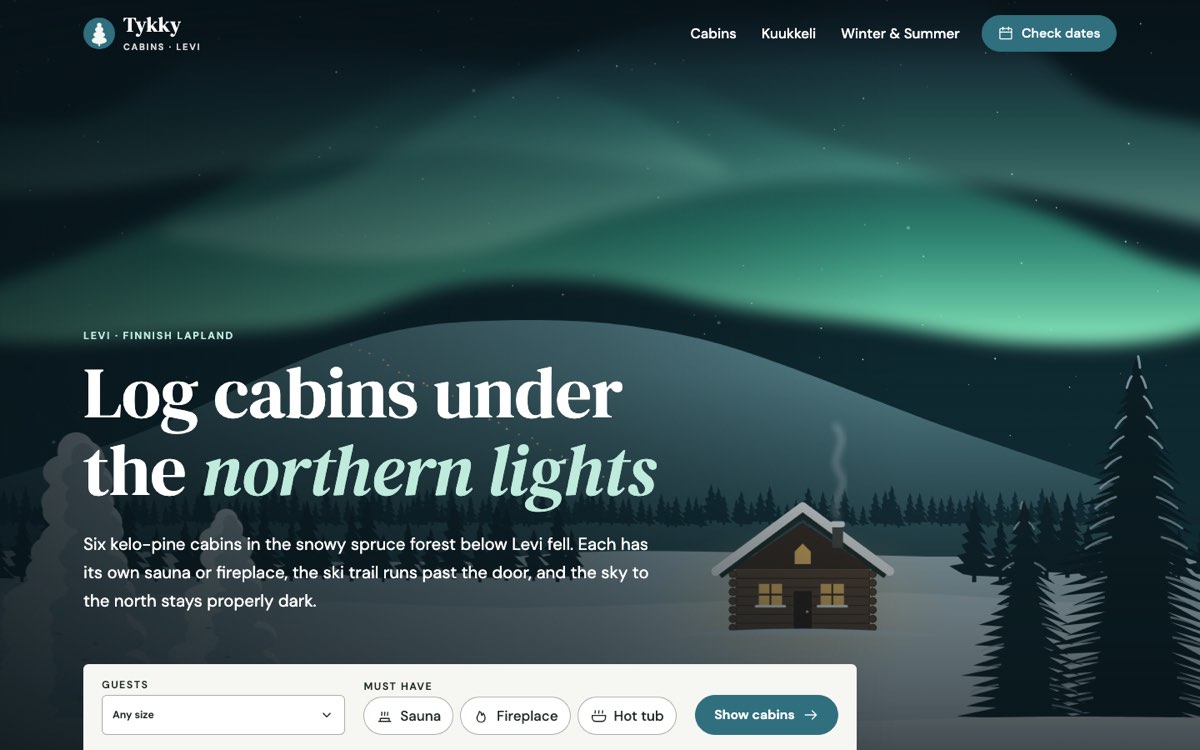
Tykky Cabins Levi is a fictional business created by VirtueInfo for this demo. It is six log cabins in the forest outside Levi in Finnish Lapland, sleeping from two to eight guests. The demo is in English.
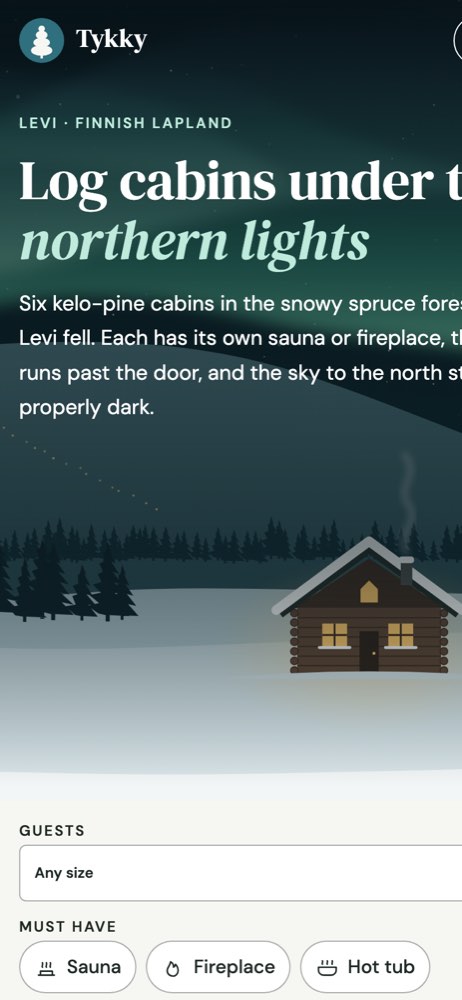
The home page opens on a full-width illustrated scene with a search panel on top. Visitors choose a group size and tick must-haves, and the button takes them to the cabin list with those filters already applied. Below it, the page introduces the place, the practical facts (self check-in, a heater post for the car at minus 25), three featured cabins and a short explanation of how booking works.
Finding the right cabin
The cabins page lists all six with sleeps, bedrooms, floor area, sauna, fireplace, hot tub and pet notes. Filters for group size and must-haves update the list and the count straight away. If no cabin matches, the page says so and suggests removing a filter or booking two neighbouring cabins together. A section lists what every cabin includes, so cleaning and linen are clear before anyone asks.
One cabin, Kuukkeli, has a full page to show what each property page can hold: a short story, a drawn floor plan with room sizes, amenities grouped by warmth, kitchen, outdoors and practical, and a table of sample nightly prices by season with the minimum stay. The winter and summer page explains polar night, spring skiing, midnight sun and autumn colours, so guests can pick their season before their cabin.
The availability calendar
The booking page is the main feature. Guests choose a cabin and a calendar appears with free nights and sample booked nights. They tap a check-in day, then a check-out day. If the range crosses a booked night, the form explains and asks for new dates. It also rejects past dates and a group with no adults. A summary beside the form shows the cabin, dates, nights, guests and a sample estimate as they go. The page states the check-in time, minimum stay and deposit terms, and confirms that no payment is taken.
Local SEO built in
Every page carries LodgingBusiness structured data with the business name, location at village level and amenities. The cabin list adds an item list of the properties, and the cabin page describes the house, its size, guest capacity and sample offers. Titles are written for searches such as log cabins with a sauna in a resort, or a cabin for six with a hot tub. The name, area and phone match what belongs on your Google Business Profile.
Since Tykky Cabins Levi is a made-up holiday rental, its demo is hidden from search. A real holiday rental site we build is published indexable, with every page listed in the sitemap. The scenes are SVG and the fonts are self-hosted, so pages stay light for guests checking dates on a phone with weak signal.
Notes for each market
India
Guests booking homestays and villas in India often ask on WhatsApp first, so a WhatsApp button sits next to the form. Prices are in rupees, with GST noted, and the advance can be paid by UPI. Directions from the nearest station or airport help a lot.
USA
American guests expect US dollars, clear cleaning and pet fees, and the cancellation policy near the calendar. Some towns require short-term rental permit numbers on listings, so we leave a place to show yours if it applies.
Canada
Prices go in Canadian dollars with GST or HST noted. A rental in Québec should offer French alongside English. Metric distances and Canadian spelling suit most guests.
Australia
Australian guests expect the price shown to include GST and any compulsory fees. Show your ABN and use Australian spelling. Notes on school holiday periods help families plan.
Finland
A Finnish rental site usually needs Finnish and English, with Swedish or German where your guests come from. Prices are in euros with VAT included, and the business ID goes in the footer. Sauna, drying room and parking heater details are what guests look for first.
What we deliver and how the project runs
We design the site to your brand and your properties, using your photographs, and write the copy with you from what guests really ask. We connect the calendar to your booking system or calendar feed, and send enquiries to your email, WhatsApp or CRM. Our UI and UX design team tests the filter and calendar on phones, because most guests start there.
At hand-over you get edit access for prices, seasons and property details, and a short walkthrough. We can look after hosting, updates and new properties afterwards. Send us your property list and current booking setup through our contact page and we will prepare a quote.