What people want from a gym website
Gym visitors arrive with different questions. A beginner wants to know that someone will teach them, that the first session is free and what happens in it. A returning lifter checks the early morning hours, the monthly price and whether personal training is available without a contract. Someone training for a test or a meet looks for platforms, a coach with the right focus and a class that fits their week.
The website has to answer all three on a phone, in the parking lot, in under a minute. That means opening hours at the top of every page, prices in plain view, a schedule that can be filtered and a trial booking form that does not ask for a card.
How our demo site handles it
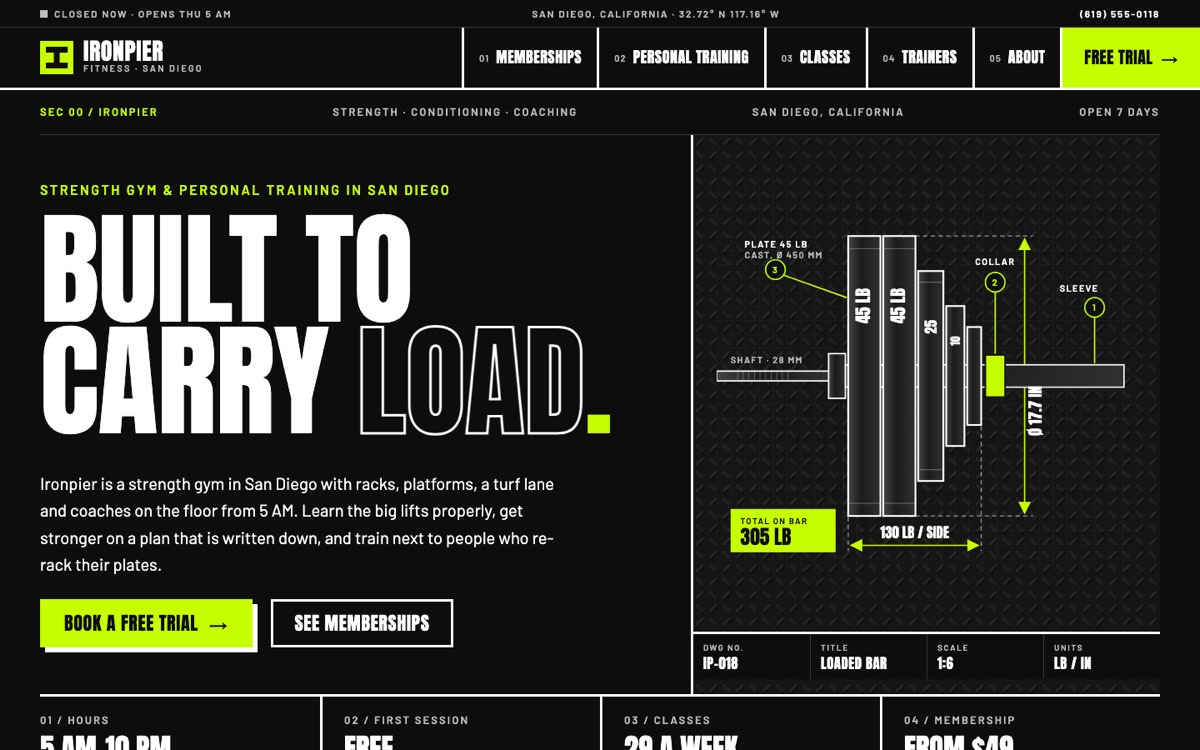
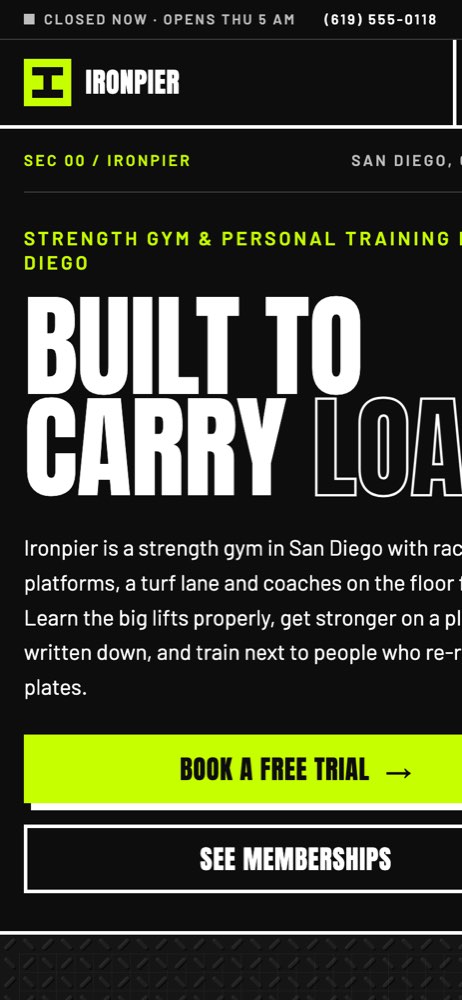
We built a demo for Ironpier Fitness, a fictional strength gym in San Diego, California. VirtueInfo invented the gym, its coaches and its sample prices. The design is industrial: black and white with a lime accent, square edges and technical drawings of a loaded barbell and the gym floor instead of photos.
Pages for each kind of visitor
The home page sets out three ways to train (open gym, coached classes and personal training), then a labeled floor plan with racks, platforms, dumbbells, a turf lane and a studio. It shows today's classes, a short guide to the first visit, the six coaches and a short FAQ. A strip at the top shows whether the gym is open now, worked out in San Diego time.
The memberships page has three plans with a monthly or annual switch. Flip it and each price, plus the yearly billing note beneath it, changes. A comparison table lists every inclusion, from guest passes to freeze rules and the notice period for cancelling. Day passes, a class pack and personal training without a membership sit below it.
The personal training page explains the four steps (assessment, program, sessions, retest) and lists session options. The trainers page gives each coach a focus area and a clear placeholder for certifications, so a real gym fills in verified details.
The class schedule and trial booking
The class schedule lists 29 sample classes across the week. Visitors filter by type (strength, conditioning, mobility, boxing or Olympic lifting) and by day. The count updates as they go, and a message appears if nothing matches.
The free trial page is the signature feature. The form offers the next seven real dates, five time slots and five goals, such as learning the lifts or coming back after a break. Some slots show as full and are disabled. As the visitor chooses, a ticket-style trial pass beside the form fills in. Validation checks the email format and a US phone number, and asks for age confirmation before the request is accepted.
Local SEO built in
The gym is marked up as an ExerciseGym in schema.org, with city, opening hours, phone and price range. Classes and personal training are marked up as Service entries, and each membership plan as an Offer with monthly and annual prices. Breadcrumbs appear on every inner page.
Page titles target real local searches: strength gym, gym membership, personal training and group fitness classes, each with the city. The name, hours, phone and area match what goes into your Google Business Profile. Fonts are self-hosted and the drawings are SVG, which keeps pages light on mobile.
The demo is not indexed, because the gym is fictional. The Ironpier Fitness pages carry no search listing because the company is fictional; a live gym site gets a sitemap, canonical URLs and a Search Console property instead.
Notes for each market
India
Show membership prices in rupees and state whether GST is included. Many people ask questions on WhatsApp before visiting, so we place a WhatsApp button beside the trial form. Online membership payments should support UPI and cards.
USA
Use American spelling, dollar prices and 12-hour times. State cancellation and freeze terms clearly on the membership page, since several states regulate health club contracts. Trainer certifications belong on the coach profiles.
Canada
Show Canadian dollar prices and explain how provincial sales tax applies. A gym in Québec needs French pages, and we build the language switch in from the start. Use 24-hour or 12-hour times to match local habit.
Australia
Use Australian spelling and dollar prices, and state whether they include GST. Set out cooling-off, freeze and cancellation terms near the plans. Show your ABN in the footer if you take payments online.
Finland
Prices go in euros with VAT included. A gym site usually needs Finnish and English, and Swedish in some areas. Many members pay through employer sport and culture benefits, so list the benefit payment methods you accept, and show your business ID (Y-tunnus) in the footer.
What we deliver and how the project runs
We design the site around your brand and your floor, not the demo's look. We write or edit the content with you: plans, classes, coaches, house rules and hours. Then we connect the trial form and class bookings to your email, WhatsApp, CRM or booking system. If you also run physiotherapy, nutrition or health assessments, our healthcare solutions team can handle intake forms and the privacy work that comes with them.
The project starts with a call about your members, then a design for review, then the build. Before launch we set up structured data and line up your Google Business Profile. At hand-over we show your staff how to update the timetable and prices, and we offer maintenance if you would rather we kept the site running.
If you want a site like this, ask us for a quote and tell us how your gym trains and where it is.