What clients need from an architect's website
Three kinds of client visit an architecture studio's site. A family or small developer with a plot wants to know what might fit on it, how permits work, how long the design takes and roughly what it costs. A municipality, school or association wants evidence of public work and an understanding of procurement and accessibility. The owner of an old building wants to see that you survey first and treat existing structures with care.
All of them judge you on your drawings. The website has to present projects the way you would at a table, sheet by sheet, and then explain your process and fees plainly enough that a first meeting feels like a sensible next step. The enquiry form should collect the facts you need to reply properly: what, where, how big, how far along and what budget.
How the demo handles it
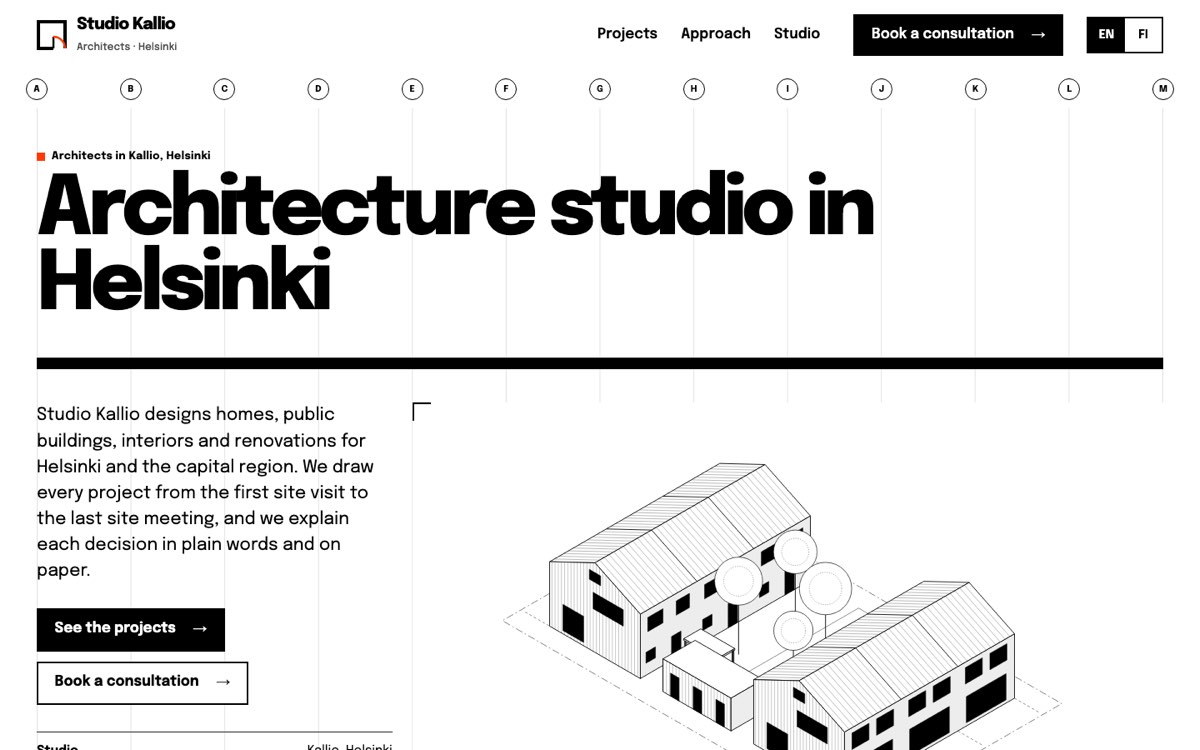
Studio Kallio is a fictional practice that VirtueInfo created for this demo. It is not a client, and its projects, team and fees are samples. The site is complete in English and Finnish, so you can browse it the way a client would.
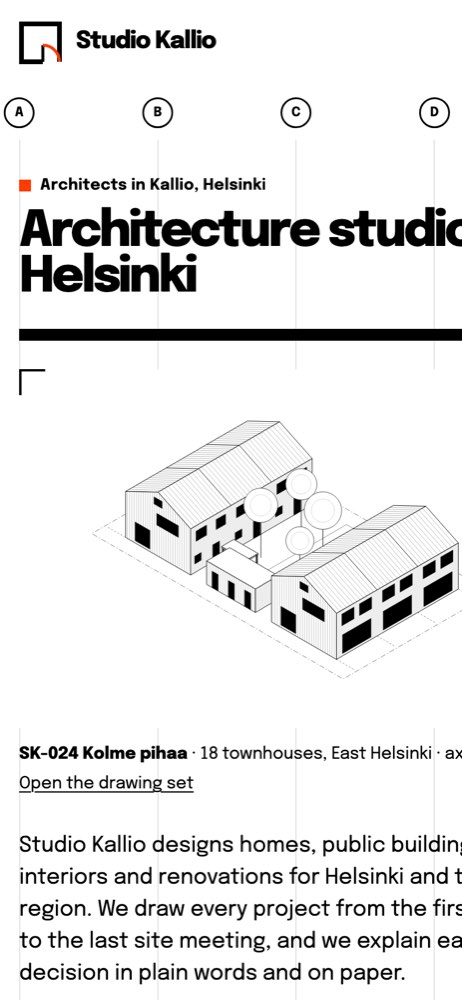
The home page sets out four kinds of work, shows three selected projects with their project codes, and draws the design process as a dimension chain where each stage's width reflects its typical length. Finnish stage names such as rakennuslupa sit beside the English ones.
The project pages carry the signature feature. Each opens with a drawing sequence of four sheets: site plan, ground floor plan, section and axonometric, each with its scale and a caption. Visitors step through with arrow buttons, the arrow keys, Home and End, or a swipe on a phone. A full screen button turns the sequence into a focused viewer that keeps keyboard focus inside and closes with Esc, and a screen reader hears the name of each drawing as it changes. Below the drawings, the page covers the brief, the main design decisions and what the studio delivered.
The projects page lists eight projects with filters for housing, public buildings, interiors and renovation. The chosen filter is written into the address, so a link to public work only can go straight into a tender response.
The approach page walks through five stages, each with what the client receives, what they decide and how long it usually takes. It shows a table of sample starting fees and explains permits and the principal designer role. The consultation page has the second interactive feature: as the visitor fills in type, location, area, stage and budget, a project sheet beside the form updates to show their brief.
Local SEO built in
Every page carries schema.org ProfessionalService data with the studio's district, city, opening hours and the areas it covers. Project pages describe each building as a creative work with its place, the projects page adds an ItemList, the approach page lists services with sample offers, and the home page carries FAQ data.
Titles pair the work with the place, such as "architecture studio Helsinki" and "warehouse conversion Helsinki", in both languages. The municipalities in the consultation form and project captions give search engines plain text about where you work, and the name, address and hours match your Google Business Profile.
All drawings are SVG and the site uses one self-hosted font file, so even the drawing sets load quickly. The demo is kept out of search results because the studio is fictional. A client site launches fully indexable, with a sitemap, canonical tags and hreflang between languages.
Notes for each market we serve
India
We write in Indian English, show fees in rupees and use square feet alongside square metres where clients expect it. Many clients prefer WhatsApp for a first contact, so we add a button for it. Your Council of Architecture registration number can sit in the footer and on the studio page.
USA
We switch to American spelling, US dollars and square feet. Architects usually list the states where they are licensed, and we give that its own line on the studio page. Project pages can note the permitting jurisdiction for each building.
Canada
We use Canadian spelling, Canadian dollars and either metric or imperial areas to suit your clients. A practice working in Québec needs a French version of every page, which we build in the same way as the demo's Finnish pages. Provincial association membership goes on the studio page.
Australia
We use Australian spelling and fees in Australian dollars, stated with or without GST. Architects usually show their state registration, and your ABN goes in the footer. Project captions can name the council area.
Finland
The demo is built for Finland: Finnish and English pages, euro fees excluding VAT, permit stages under their Finnish names and the pääsuunnittelija role explained. We can add Swedish for bilingual municipalities. Your business ID goes in the footer.
What we deliver and how the project runs
We design the site around your studio's identity, not the Kallio look. We prepare your drawings for the web as clean SVG or high-resolution images, set up the archive and its filters, and write project and process pages with you.
Consultation requests go to your email, CRM or booking system, and we can add WhatsApp. If you want something larger, such as a client area for sharing drawing revisions and meeting notes, our custom application development team can build it alongside the site.
At hand-over you get the code, hosting and a guide to adding projects, and we can look after updates afterwards.
Send us a few of your projects and tell us who your clients are, and ask us for a quote.